
Make YOUR life easier! - Tips from Studio WebWare
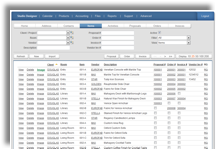 Last month we shared with you some information about Studio WebWare and all the benefits their Studio Designer software program offers to interior designers. This month we'll address the ease with which designers can use the program on the go via Blackberry, iPhone and Droid.
While designers can access their entire Studio Designer application from any computer, they can also log in via cell phone to the mobile portion of the application, said Lance Haeberle of Studio WebWare.
The mobile app provides two primary features: One allows users to access their address books where they can view and edit and have an unlimited number of entries. From there they can also link to websites or view of map with directions to a particular client or vendor, he said.
Secondly, users can also maintain their activities such as scheduling meetings, tracking conversations and entering and receiving reminders. Users can also access their "to do" list for the day and enter start and end times for meetings and appointments.
"That info is tracked in real time in the main application so they can generate their time billing invoices at the end of the month," offered Haeberle, noting that accessing Studio Designer via phone does not require synching the activity with a computer later.
"If they make changes on their phone it automatically updates on the main system," he said.
Tune in next month for more helpful hints regarding Studio WebWare and Studio Designer. Visit them online at www.studiowebware.com